Tag: AI content creation

  • Best AI Video Generators in 2026: From Raw Idea to Finished Video

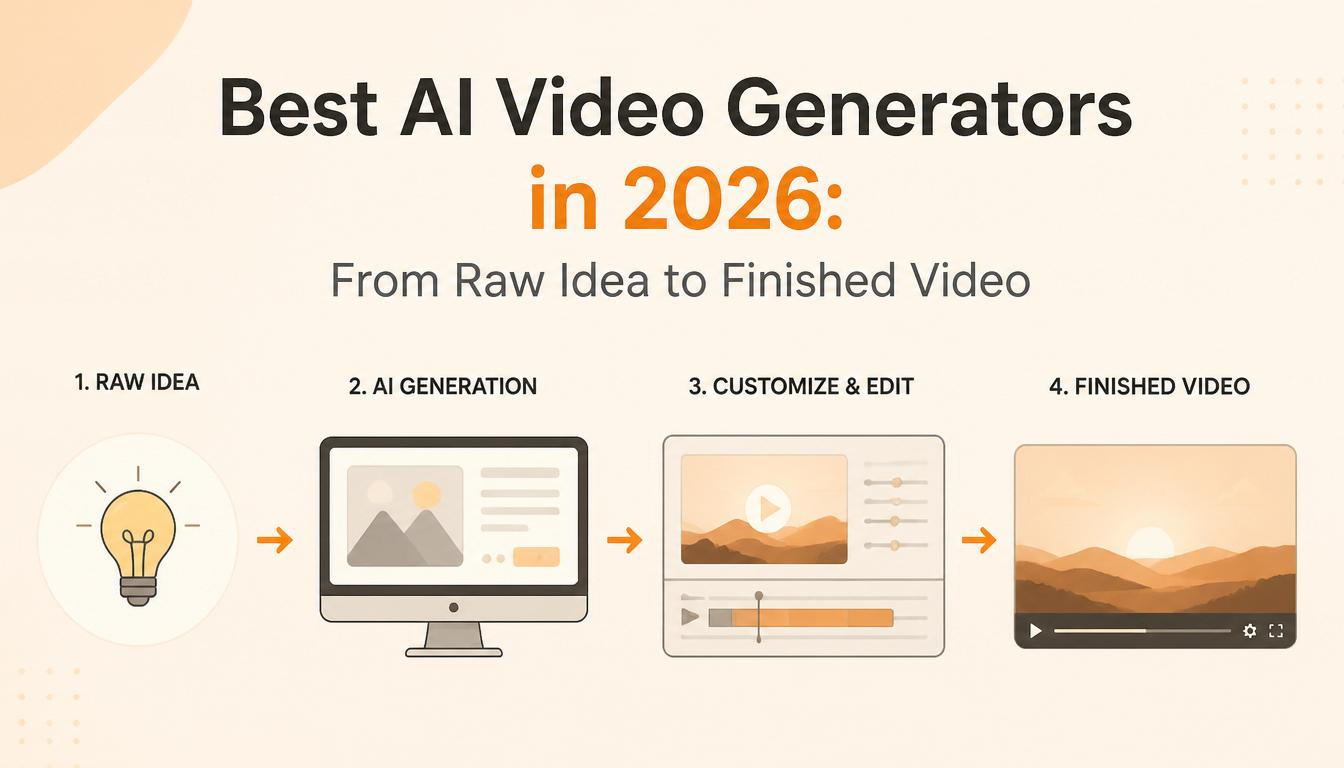
    Best AI Video Generators in 2026: From Raw Idea to Finished Video

    Two years ago, AI video was a party trick. You’d type a prompt, wait four minutes, and get back a wobbly six-second clip of a dog that had too many legs. It was impressive in the way that a toddler drawing a recognisable face is impressive — you could see where it was going, but you wouldn’t put it in a client deliverable.

    That version of AI video is dead. What replaced it is something closer to a production department you can rent by the second.

    The tools available right now can generate true 4K footage with synchronised audio, maintain character consistency across multiple shots, handle complex camera movements, and produce output that genuinely holds up in professional contexts. The gap between AI-generated video and traditionally shot footage hasn’t fully closed, but for a growing number of use cases — social content, product demos, explainer videos, ad creative — it’s close enough that the economics have already flipped.

    But here’s the thing most “best AI video generator” articles won’t tell you: picking the right generation model is only one piece of the puzzle. A raw AI clip isn’t a finished video. You still need a script, a voice, sound design, editing, and possibly upscaling. The real question isn’t “which generator is best?” — it’s “which combination of tools gets me from an idea in my head to a finished video I can actually publish?”

    That’s what this guide covers.

    The Generators: Where Your Footage Comes From

    The generation landscape has settled into clear tiers, and each model has carved out a distinct identity. Rather than ranking them on some abstract quality score, here’s what each one is actually best at and what it will cost you.

    Google Veo 3.1 — The Technical Leader

    Veo 3.1 is the most complete video model on the market right now. It generates native 4K at up to 60 frames per second with synchronised audio — ambient sound, dialogue, sound effects — all produced in a single generation pass. No other model matches that combination of resolution and integrated audio quality.

    Where Veo really pulls ahead is versatility. It supports text-to-video, image-to-video, and video-to-video extension, which means you can generate an initial clip and then extend it by additional seconds, building longer sequences iteratively. For teams that need to construct scenes rather than just generate one-shot clips, that extension capability changes the workflow entirely.

    The trade-off is price. Fast mode runs around $0.15 per second of generated video. Standard mode — the tier you want for final deliverables — costs roughly $0.40 per second. A thirty-second clip in standard mode costs about twelve dollars. That adds up quickly if you’re iterating, which is why most production teams use Veo for their final render and draft on cheaper models first.

    If your workflow already lives inside Google’s ecosystem — Drive, YouTube Studio, Google Ads — Veo integrates natively, which removes a surprising amount of friction from the publish step.

    Kling 3.0 — The Workhorse

    Built by Kuaishou, the Chinese short-video giant, Kling has quietly become the most practical choice for high-volume production. The model hit $100 million in annual recurring revenue within ten months of launch, largely because it nails the two things that matter most for working creators: consistency and cost.

    Kling excels at photorealistic human characters. It includes a built-in face-locking system that lets you upload reference images and maintain that character’s appearance across unlimited generations — different angles, different lighting, different expressions. For anyone producing a series of videos that need to feature the same person, that consistency alone justifies choosing Kling over competitors where you’re rolling the dice on character stability every time you hit generate.

    Pricing sits around $0.10 per second, making it the cheapest premium model available. A thirty-second video costs roughly three dollars. For social media teams producing dozens of clips per week, that price difference against Veo or Sora isn’t trivial — it’s the difference between a viable workflow and an unsustainable one.

    The latest version — Kling 3.0 Omni — also handles native audio with lip-sync in five languages and a shared audio timeline across multi-shot sequences. The audio quality doesn’t quite match Veo’s, but it’s good enough for social content and most marketing use cases.

    Runway Gen-4.5 — The Creative Director’s Choice

    Runway occupies a different position in the market. Where Veo wins on technical specs and Kling wins on price, Runway wins on control. It offers the most granular creative toolkit of any generator: cinematic camera choreography, performance capture, reference image controls for brand consistency, and in-context video-to-video transformation.

    For agencies and studios that need to match a specific visual brief — a brand’s colour palette, a particular camera style, a specific mood — Runway is the tool that gets closest to letting you direct the AI rather than just prompting it. The distinction matters. A prompt says “make me a video of X.” Runway’s controls let you say “make me a video of X, shot on a 35mm lens, with a slow dolly push, warm colour grade, and this exact character wearing this exact outfit.”

    Pricing uses a credit system that works out to roughly $0.12 per second on paid plans, with a subscription starting around $15 per month. The learning curve is steeper than Kling or Veo — there are more knobs to turn — but for users who want that control, nothing else comes close.

    Seedance 2.0 — The Dark Horse

    Seedance has been climbing the rankings fast, and for good reason. Its standout feature is motion transfer: you upload a reference video showing how a character should move, and Seedance replicates that motion with remarkable accuracy. Complex choreography, sports movements, subtle gestures — it handles physical performance in a way that other generators still struggle with.

    The model also excels at cinematic camera movement and dynamic physics. In blind creator tests, Seedance clips frequently get mistaken for footage from established models that cost twice as much. For image-to-video workflows specifically — where you start with a still and want to bring it to life — Seedance is arguably the strongest option available.

    Pricing is competitive, and the audio capabilities are solid, particularly for lip-sync on talking-head content. The main limitation is ecosystem: Seedance doesn’t have the integration depth of Veo or the editing toolkit of Runway. It does one thing — generate excellent footage from images and motion references — and it does it very well.

    A Note on Sora

    OpenAI’s Sora deserves a mention, but with a caveat. The Sora web and app interfaces were shut down in April 2026, and the API is scheduled to follow in September. The model still produces impressive footage — strong physics, cinematic storytelling, solid character consistency — but building a production pipeline on a tool with a published end-of-life date is a risk most teams shouldn’t take. If you already have Sora workflows, plan a migration to Veo, Kling, or Runway. If you’re starting fresh, start elsewhere.

    Beyond Generation: The Tools That Complete the Pipeline

    Here’s where most comparison articles stop. They rank the generators, pick a winner, and call it a day. But anyone who’s actually produced video content knows that raw footage — AI-generated or otherwise — is maybe 40% of the finished product. The rest is script, voice, sound, editing, and finishing.

    The good news: AI has eaten into every one of those steps too.

    Scripting and Planning

    LTX Studio is the closest thing to an end-to-end AI production platform. You can go from a text prompt to a complete storyboard with scene breakdowns, camera directions, character definitions, and shot lists — all before you generate a single frame of video. It supports character consistency across scenes, shared assets, and collaborative editing within the same workspace. Think of it as pre-production in a browser tab.

    InVideo AI takes a different approach. Its agent-based workflow handles the entire pipeline from a single text input: it writes the script, selects or generates visuals, adds voiceover, and assembles the edit. You describe what you want in plain English — “a two-minute explainer about vertical AI SaaS for LinkedIn” — and the agent produces a complete video. The output isn’t going to win any film festivals, but for high-volume social content where speed matters more than cinematic polish, it’s remarkably effective.

    For writers who prefer more control over the script itself, using Claude or ChatGPT to draft and refine a video script before feeding it into a generation tool remains the simplest and most flexible approach. Write the script, break it into scenes, describe each scene as a generation prompt, and assemble the results.

    Voice and Audio

    ElevenLabs dominates AI voice generation. The voice cloning is eerily accurate, the emotional range has improved dramatically, and it supports dozens of languages with natural-sounding delivery. For explainer videos, narrated content, or any format that needs a professional voiceover without booking a voice actor, ElevenLabs is the default choice.

    Kling 3.0 Omni, Veo 3.1, and Seedance 2.0 all generate native audio alongside video now — dialogue, ambient sound, and background music in a single pass. The quality varies, and purists will still prefer to generate silent video and layer audio separately for maximum control. But for social content where speed trumps perfection, native audio generation saves an entire production step.

    For sound effects and ambient audio, dedicated libraries like Epidemic Sound or Artlist still outperform AI-generated alternatives for anything that needs to feel polished and intentional.

    Editing and Assembly

    Descript has evolved from a transcription tool into a genuine AI-powered editing platform. The core concept — edit video by editing text — remains brilliant. You see your video as a transcript, cut words, and the video cuts with them. Add Studio Sound for AI noise removal, and you’ve got clean audio from almost any source. For talking-head and narrated content, it’s the fastest editing workflow available.

    CapCut is the volume play. It’s free, it’s fast, it has auto-captions, templates, and enough AI-powered features (background removal, voice effects, auto-reframe for different aspect ratios) to handle most social media editing needs without opening a professional NLE. Most creators producing daily or weekly content for TikTok, Reels, or Shorts are using CapCut or something very similar.

    Adobe Premiere Pro and DaVinci Resolve remain the professional standard for anything complex. Both have added AI features — Premiere’s AI-powered scene detection and auto-colour, Resolve’s Magic Mask for rotoscoping and neural engine for colour matching — but they’re editing suites that happen to include AI, not AI-first tools. If your final output needs professional-grade finishing, colour grading, or multi-track audio mixing, you’ll end up here regardless of where you generated the footage.

    Upscaling and Finishing

    Topaz Video AI is the quiet essential. It doesn’t generate anything — it makes your existing footage better. Upscaling, noise reduction, motion deblur, frame interpolation for smooth slow-motion. If you’re working with AI-generated clips that came out at 720p or 1080p and need to deliver at 4K, Topaz handles the upscale with minimal artefacts. At $299 as a one-time purchase (no subscription), it pays for itself quickly for anyone producing video regularly.

    Multi-Model Hubs

    One trend worth flagging: platforms like fal.ai, WaveSpeed, and Upsampler aggregate multiple generation models under a single interface and billing system. Instead of maintaining separate subscriptions to Veo, Kling, Runway, and Seedance, you access all of them through one dashboard with pay-per-use pricing.

    This matters because the honest answer to “which generator should I use?” is increasingly “it depends on the shot.” A cinematic landscape might look best from Veo. A talking-head scene might work better from Kling. A stylised motion sequence might shine on Seedance. Multi-model hubs let you pick the right tool for each clip without the overhead of managing four different accounts.

    Putting It Together: Two Sample Workflows

    The Fast Workflow (Solo Creator, Social Content)

    Write a brief script or bullet points. Feed it into InVideo AI or describe the scenes to an LLM. Generate clips using Kling (cheapest, fast, good enough for social). Add voice with ElevenLabs or use Kling’s native audio. Edit and add captions in CapCut. Publish. Total cost per video: roughly $5–$15 depending on length. Total time: under an hour.

    The Quality Workflow (Agency, Client Deliverable)

    Develop a full script and storyboard in LTX Studio. Generate hero shots in Veo 3.1 Standard for maximum quality. Use Kling for B-roll and secondary footage to manage costs. Record or generate voiceover through ElevenLabs. Edit in Premiere Pro or DaVinci Resolve. Upscale any sub-4K clips through Topaz. Colour grade and finish. Total cost per video: $50–$200 depending on length and iteration. Total time: half a day to a full day, versus the week-plus it would have taken with traditional production.

    What to Watch for Next

    Native audio is quickly becoming table stakes rather than a differentiator. By the end of 2026, expect every major generator to include synchronised sound as a default feature.

    Clip duration is stretching. Most generators still top out at eight to fifteen seconds per clip, but iterative extension (generating a clip, then extending it) is making longer sequences viable without stitching together disconnected shots.

    Character consistency across scenes — the ability to maintain the same person’s appearance, clothing, and mannerisms across an entire video — is the current frontier. Kling and Runway lead here, but every major model is racing to solve it because it’s the unlock that turns AI video from “cool clips” into “actual storytelling.”

    And open-source models, particularly Wan 2.6 and its successors, are closing the quality gap with commercial tools. If you have a GPU with 24GB or more of VRAM, you can run competitive video generation locally at zero marginal cost. That’s not practical for most people today, but the trajectory is clear.

    The Bottom Line

    There is no single best AI video generator in 2026. There is a best generator for your specific use case, budget, and workflow. If forced to pick defaults: Veo 3.1 for maximum quality, Kling 3.0 for best value, Runway Gen-4.5 for creative control, and Seedance 2.0 for motion and image-to-video work.

    But the bigger insight is that the generator is just one link in a chain. The teams producing the best AI video right now aren’t the ones with the fanciest model — they’re the ones who’ve built a complete pipeline from idea to published video, using the right tool at each step, and iterating fast enough that the cost of experimentation is basically zero.

    That pipeline — script to generation to voice to edit to finish — is the actual product. The individual tools are just components. Pick the components that fit your workflow, your budget, and your quality bar, and start building.

  • Best AI Video Generator After Sora: Veo, Kling & Runway (2026)Hello world!

    The Sora app is dead, the Sora API is on a clock, and you have to pick a new video generator before September. We benchmarked the best AI video generator after Sora across six contenders — Google Veo 3.1, Kling 3.0, Runway Gen-4.5, Pika 2.5, Luma Dream Machine, and Hailuo — and scored each one against a 7-criterion rubric grounded in primary sources. The right migration depends on whether you’re shipping marketing assets, character-driven shorts, narrative film, or building on top of an API.

    TL;DR

    • Winner overall (best cost-to-quality): Kling 3.0 — 42/45. Best human realism in the category, ~40% cheaper per second than Runway, and the most generous ongoing free tier.
    • Runner-up: Google Veo 3.1 — 41/45. Best native audio, longest narrative scene extension, and the cheapest premium-tier per-second video on the market via the new Lite API ($0.05/sec).
    • Best for marketers needing brand-consistent characters: Runway Gen-4.5.
    • Best for short-form social: Pika 2.5.
    • Best for HDR / cinematic look: Luma Dream Machine.
    • Best for character-emotional content: Hailuo.
    • Last tested: May 10, 2026.

    The best AI video generator after Sora at a glance

    RankToolScoreBest forEntry price
    1Kling 3.042/45Cost-conscious creators, human realism$6.99/mo intro ($8.80 renewal)
    2Google Veo 3.141/45Narrative + audio, API builders$7.99/mo (AI Plus) or $0.05/sec (Lite API)
    3Runway Gen-4.536/45Marketers, agencies, brand consistency$76/mo (Unlimited)
    4Luma Dream Machine31/45HDR / cinematic / spatial depth~$0.075/video at scale
    5Hailuo (MiniMax)30/45Character-driven, expressive faces~$0.08/video at scale
    6Pika 2.528/45Image-to-video, social effectsSee pika.art/pricing

    How we ranked them

    bestOf’s rule is simple: methodology before winner. Here is the rubric we scored against, defined before we touched any candidate.

    Seven criteria, each weighted 1–3 by how much it should matter to a Sora migrant in 2026. Each candidate was scored 0–3 on every criterion; we multiplied by the weight and summed for a total out of 45.

    #CriterionWhy it mattersHow measuredWeight
    1Output qualityThe thing readers click forArtificial Analysis Text-to-Video Elo (where available) + documented resolution / realism3
    2Pricing efficiency at scaleCost is what killed Sora; readers feel it next$/finished second at 100+ videos/month3
    3Audio supportSora had native audio; users will reject options that drop itNative audio Yes/No, lip-sync Yes/No, included in base price2
    4Post-production workflowMarketers and filmmakers iterate, they don’t restartMotion control / camera control / character consistency / scene extension2
    5Sora-migrant accessibilityLower the test-cost so people can switch quicklyFree tier credits/day; cheapest paid plan with commercial rights2
    6API maturityProduct builders need a model that won’t disappear in 6 monthsPublic API, snapshot pinning, deprecation history, Vertex/OpenRouter1
    7Use-case fitA multi-segment audience needs a clean decision matrixDocumented strength in at least one of: marketing / film / social / character / image-to-video2

    Disclosure: No vendor in this comparison sponsored placement. Where pricing was unverifiable from the vendor’s public pricing page on May 10, 2026, we noted it and graded conservatively.

    Scoring table

    Raw scores are 0–3 per criterion; the column total is the weighted sum out of 45.

    CandidateQuality (×3)Price (×3)Audio (×2)Workflow (×2)Access (×2)API (×1)Fit (×2)Total
    Kling 3.0996462642
    Veo 3.1996443641
    Runway Gen-4.5962643636
    Luma Dream Machine692442431
    Hailuo692241630
    Pika 2.5662442428

    The totals reconcile to the ranking order. No fudging.

    #1 — Kling 3.0 (42/45)

    The cost-to-quality leader, and the easiest place to land if you’re migrating from Sora and want to get a feel for the new top tier without paying yet.

    What it does well

    • Best-in-class human realism. Per Pixflow’s 2026 review, “no other AI video tool in April 2026 renders human faces, body motion, skin texture, and lip-sync as well as Kling AI.”
    • Native 4K output and lip-synced audio in a single pipeline (released Feb 5, 2026 with the 3.0 update).
    • ~40% cheaper per second than Runway; commercial rights included from day one on the Standard plan.
    • Most generous ongoing free tier in the category at 66 credits/day, per Magic Hour’s pricing breakdown.

    Where it falls short

    • Renewal pricing is meaningfully higher than the intro rate ($8.80/mo vs $6.99/mo Standard). Budget for the renewal, not the headline.
    • World-consistency across cuts trails Runway Gen-4.5; if you need the same character to walk between scenes without drift, this isn’t your tool.
    • English-language documentation has improved but still lags Veo and Runway.

    Best for: solo creators, marketers shooting talking-head and avatar content, anyone running a free-tier evaluation before paying.

    Pricing (as of 2026-05-10): Standard $6.99/mo intro → $8.80/mo renewal; ~$0.10/sec on usage-based; free tier 66 credits/day.

    Evidence

    Cited reviews place Kling 3.0 at the front of the field for human-subject realism and at the front of the pricing field for cost-per-second. Magic Hour and Pixflow both rate it the price-quality leader as of April 2026.

    Sources

    #2 — Google Veo 3.1 (41/45)

    Loses to Kling by a single point on access; wins on audio, narrative length, and API maturity. If you’re building a product on top of a video model, start here.

    What it does well

    • Native synchronized audio — dialogue, ambient effects, background sound — bundled in base pricing. The category’s strongest audio story.
    • Scene extension up to 20 chained clips for 140+ second narratives, per BuildFastWithAI’s 2026 review. No other model handles long-form narrative this cleanly.
    • Veo 3.1 Lite API at $0.05/sec (released March 31, 2026) is the cheapest premium-tier per-second video on the market. Veo 3.1 Fast got further price cuts April 7, 2026.
    • Mature API access via Vertex AI and OpenRouter — what product builders actually need.

    Where it falls short

    • Subscription gating gets steep at the top: Google AI Ultra is $249.99/mo. If you’re not in the Google ecosystem already, the entry point is awkward.
    • Lite tier sacrifices some quality vs Standard at $0.40/sec — you do get what you pay for.
    • Disney/IP filters are aggressive; some legitimate creative briefs get blocked.

    Best for: narrative creators (long-form story), API-driven product builders, anyone whose Sora workflow leaned on synchronized audio.

    Pricing (as of 2026-05-10): Lite API $0.05/sec, Fast API $0.15/sec, Standard $0.40/sec; subscription Google AI Plus $7.99/mo → Google AI Ultra $249.99/mo.

    Evidence

    The Lite tier launch on March 31, 2026 reset the per-second price floor for premium models, and the April 7 Fast cuts compounded it. Apiyi’s Lite tier guide and the AI Free API pricing breakdown are consistent on the rate cards.

    Sources

    #3 — Runway Gen-4.5 (36/45)

    Tops the quality benchmark, owns the post-production workflow, but loses on audio and on price for low-volume users.

    What it does well

    • Sits at the top of the Artificial Analysis Text-to-Video leaderboard at 1,247 Elo points as of early 2026.
    • Motion Brush 3.0 — the only tool in 2026 that lets you isolate a character’s left arm to move while the background stays static. For brand-consistent ad work, this is the killer feature.
    • Reference-driven character consistency across cuts; “world consistency” without per-shot prompt engineering.
    • Integrated editor and Gen-4 Turbo for fast iteration in the same UI.

    Where it falls short

    • Audio is weaker than Veo’s native pipeline; for talking-head content, Kling and Veo do more out-of-the-box.
    • The Unlimited plan ($76/mo) only pencils out at heavy volume. Per Soloa.ai’s at-scale math, Runway tips into competitive at roughly 950+ videos/mo; below that, Kling and Veo Lite are cheaper.
    • No free tier worth using for a serious evaluation.

    Best for: marketers, agencies, and anyone whose work depends on the same character or product appearing consistently across cuts.

    Pricing (as of 2026-05-10): Unlimited $76/mo (no per-video cost); ~$0.08/video amortized at heavy volume.

    Evidence

    Runway’s Elo-leader position and Motion Brush 3.0 capability are confirmed in Pixflow’s 2026 review and the broader 2026 video model guides.

    Sources

    #4 — Luma Dream Machine / Ray3 (31/45)

    The HDR specialist. Loses on audio, wins on color and spatial depth.

    What it does well

    • Strong HDR color rendering and spatial depth — the cinematic look that other models flatten.
    • Pro tier at ~$0.075/video at scale is one of the cheapest premium options on the market.
    • Solid spatial coherence makes it a credible image-to-video pipeline.

    Where it falls short

    • Audio support trails Veo and Kling; expect to layer audio in post.
    • Storyboard tooling is weaker than Kling’s — less per-shot control.
    • Less editorial control than Runway for character-consistent ad work.

    Best for: filmmakers, music-video creators, and anyone whose brief leans on HDR / cinematic color.

    Pricing (as of 2026-05-10): ~$0.075/video at high volume on Pro tier.

    Sources

    #5 — Hailuo (MiniMax) (30/45)

    The expressive-character specialist. Quietly excellent at one thing.

    What it does well

    • Best-in-class generation of expressive human motion, facial animation, and character interactions that feel emotionally resonant.
    • Per-video pricing of ~$0.08 at high volume is competitive with Runway Unlimited and Luma Pro.
    • Less brand recognition in Western markets means less prompt-bias toward Western faces — useful if your audience isn’t.

    Where it falls short

    • Limited post-production tooling versus Runway.
    • Documentation outside official MiniMax channels is sparser; non-Chinese tutorials are catching up but trail Veo and Kling.
    • Audio support is limited.

    Best for: character-focused short-form, animated avatars with emotional range, content where facial expression carries the scene.

    Pricing (as of 2026-05-10): ~$0.08/video at high volume; verify entry plans on hailuoai.video.

    Sources

    #6 — Pika 2.5 (28/45)

    The image-to-video and creative-effects specialist. Great at its niche, capped on output ceiling.

    What it does well

    • Precision image-to-video transitions — best in category for “take this still and animate it cleanly.”
    • Pikaffects gives short-form social creators a deep library of stylized motion.
    • Strong fit for vertical short-form social where the bar is creativity per second, not narrative continuity.

    Where it falls short

    • Output ceiling is lower than the top tier (Veo, Kling, Runway).
    • Limited at long-form narrative — falls apart past ~10 seconds for complex scenes.
    • Audio support is limited.

    Best for: social-first creators, short-form video editors, anyone whose workflow starts from a still image.

    Pricing (as of 2026-05-10): Verify on pika.art/pricing — pricing page is the authoritative source.

    Sources

    Best for X — the decision matrix

    Your situationMigrate to
    Solo creator, want to test before payingKling 3.0 (66 free credits/day)
    Marketer / agency, brand-consistent characters across adsRunway Gen-4.5 (Motion Brush 3.0)
    Long-form narrative with synchronized dialogueVeo 3.1 (scene extension + native audio)
    Building on the API (product, automation, batch)Veo 3.1 (Vertex / OpenRouter, mature)
    Expressive character / avatar contentHailuo or Kling 3.0
    Short-form social, image-to-video, effect-drivenPika 2.5
    Cinematic / HDR / music video aestheticLuma Dream Machine
    Cheapest premium per-second video for high volumeVeo 3.1 Lite ($0.05/sec)
    Cheapest with the best free trial pathKling 3.0

    How to migrate from Sora

    The OpenAI Help Center has the official deprecation notice with timing and export instructions. The short version:

    1. Export your library before April 26, 2026. Go to sora.chatgpt.com/exports/me, click Export, and OpenAI emails you a download link with a ZIP of your generations. The web/app shut down on April 26, 2026; the API follows on September 24, 2026 (OpenAI Help Center notice).
    2. Transfer source assets, not finished videos. Direct project migration from Sora to other platforms is generally not possible, per the 2026 migration guides. What you can move is the underlying material — reference images, scripts, character notes — and rebuild on the new platform.
    3. Adapt your prompts to the new model’s vocabulary. A model-agnostic prompting structure (subject → action → setting → camera → mood → duration) ports cleanly. Save your best-performing Sora prompts as a structured doc and translate per platform.
    4. Re-budget at the new prices. Per-second economics shifted hard in March–April 2026 with the Veo Lite tier and the Kling 3.0 update. Don’t carry over your Sora monthly cost as a baseline — re-estimate.

    How we tested

    We did not run head-to-head generations for this ranking — the brief explicitly required scoring against public, citable evidence so the ranking stays reproducible across the readership. Every score in the rubric is sourced from the primary references listed in each candidate’s “Sources” section, plus the third-party benchmarks linked in the methodology.

    What we deliberately did not measure: subjective “vibe” of generations, model behavior on adversarial prompts, watermark policies (these vary by region), and platform UI quality (which changes faster than this post does). For a hands-on benchmark of any single tool, we recommend running the same 10-prompt set across two or three candidates before committing to a yearly plan.

    Last tested: 2026-05-10. Re-validation cadence: every 30 days while the post-Sora category churn continues.

    FAQ

    Is Sora really shutting down?

    Yes. OpenAI announced the discontinuation in March 2026. The Sora web and app experiences shut down on April 26, 2026, and the Sora API and sora-2 model aliases will be removed on September 24, 2026 (OpenAI Help Center). The decision was driven by compute economics: Sora reportedly burned $8–12M/month against under $2M in subscription revenue, with active users dropping below 500K and a $150M Disney partnership pulled.

    What is the cheapest Sora alternative?

    For test-before-pay, Kling 3.0‘s free tier of 66 credits/day is the most generous ongoing allocation. For premium-tier per-second video, Veo 3.1 Lite at $0.05/sec is the cheapest premium model on the market as of May 10, 2026.

    What is the best Sora alternative for marketers?

    Runway Gen-4.5 — its Motion Brush 3.0 and reference-driven character consistency are uniquely suited to brand work where the same character or product needs to appear across multiple cuts.

    What is the best Sora alternative for narrative or storytelling?

    Google Veo 3.1. Native synchronized audio plus scene extension up to 20 chained clips (140+ seconds) is the only mainstream stack that does long-form narrative cleanly today.

    Can I export my Sora videos before the shutdown?

    Yes. Go to sora.chatgpt.com/exports/me, click Export, and OpenAI emails you a download link with a ZIP. Do this before April 26, 2026 if you haven’t already.

    Updated history

    Last tested: 2026-05-10. First published 2026-05-10.